> ## Documentation Index
> Fetch the complete documentation index at: https://docs.trynia.ai/llms.txt
> Use this file to discover all available pages before exploring further.
# Pre-indexed Sources
> Browse and subscribe to repositories, documentation, and research papers already indexed by the community
Skip the wait. Browse thousands of pre-indexed sources and add them to your workspace instantly.
 ## How It Works
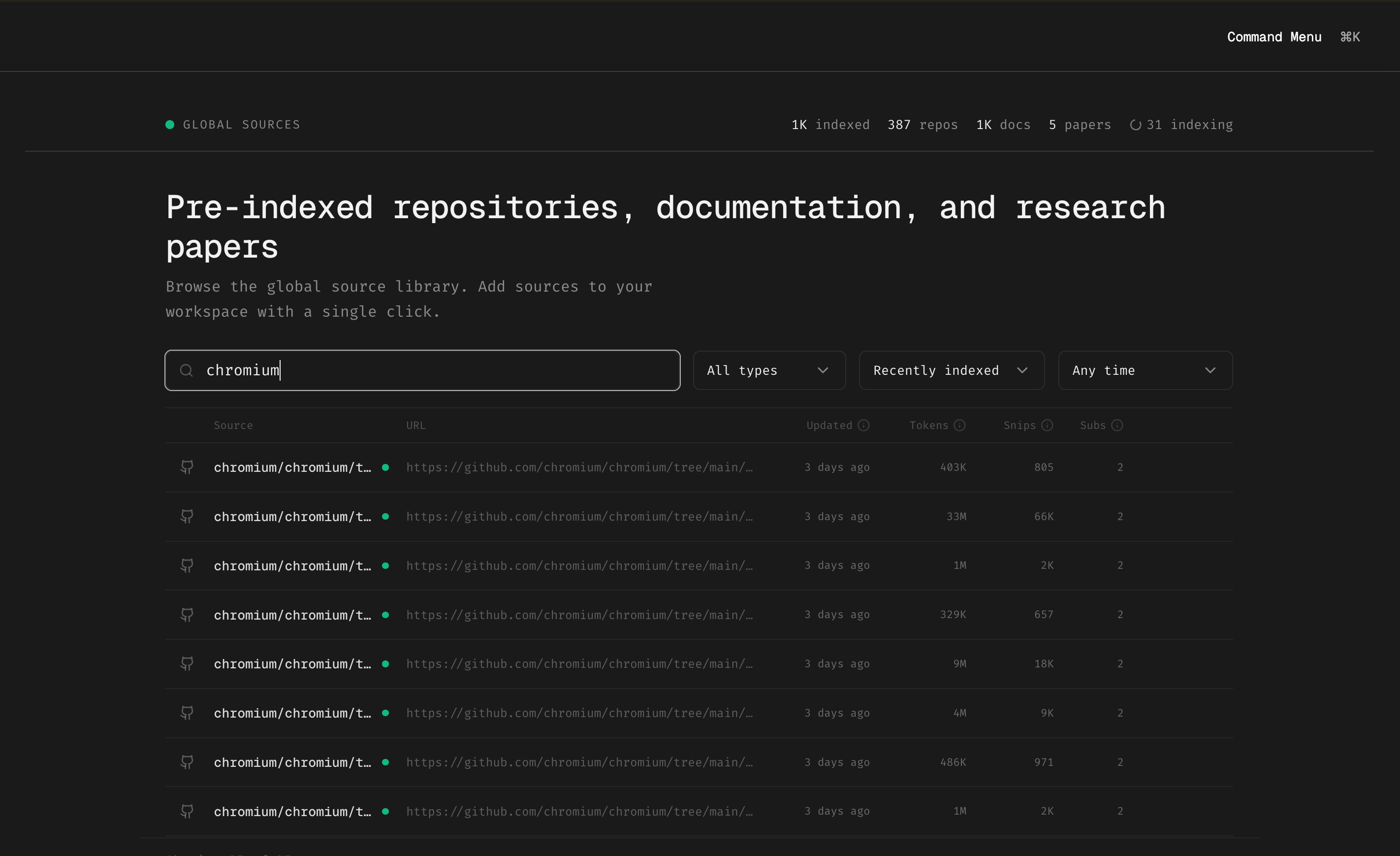
Instead of indexing heavy frameworks yourself and waiting for the job to complete, you can subscribe to sources that others have already indexed:
1. **Browse the library** at [app.trynia.ai](https://app.trynia.ai) → Global Sources
2. **Search** for the repository, documentation, or paper you need
3. **Click to subscribe** — instant access, no indexing required
***
## Popular Pre-indexed Sources
Some of the most subscribed sources include:
* **Chromium** — Full browser codebase indexed by folder
* **React / Next.js** — Framework source + documentation
* **FastAPI** — Python web framework with docs
* **Vercel AI SDK** — AI tooling source and guides
* **LangChain** — LLM orchestration framework
Can't find what you need? Index it yourself and it becomes available for others to subscribe to.
***
## Benefits
| Your Own Indexing | Pre-indexed Sources |
| ------------------------ | --------------------------- |
| Wait for job to complete | Instant access |
| Uses your indexing quota | Doesn't count against quota |
| You maintain updates | Community keeps it fresh |
***
## Getting Started
Go to [app.trynia.ai](https://app.trynia.ai) and navigate to the Global Sources section
Use the search bar to find specific projects, or browse by type (repos, docs, papers)
Click on any source to add it to your workspace. It's immediately available for search.
Use Nia's search tools to query across your subscribed sources
Pre-indexed sources are public repositories and documentation. For private codebases, you'll need to index them yourself.
## How It Works
Instead of indexing heavy frameworks yourself and waiting for the job to complete, you can subscribe to sources that others have already indexed:
1. **Browse the library** at [app.trynia.ai](https://app.trynia.ai) → Global Sources
2. **Search** for the repository, documentation, or paper you need
3. **Click to subscribe** — instant access, no indexing required
***
## Popular Pre-indexed Sources
Some of the most subscribed sources include:
* **Chromium** — Full browser codebase indexed by folder
* **React / Next.js** — Framework source + documentation
* **FastAPI** — Python web framework with docs
* **Vercel AI SDK** — AI tooling source and guides
* **LangChain** — LLM orchestration framework
Can't find what you need? Index it yourself and it becomes available for others to subscribe to.
***
## Benefits
| Your Own Indexing | Pre-indexed Sources |
| ------------------------ | --------------------------- |
| Wait for job to complete | Instant access |
| Uses your indexing quota | Doesn't count against quota |
| You maintain updates | Community keeps it fresh |
***
## Getting Started
Go to [app.trynia.ai](https://app.trynia.ai) and navigate to the Global Sources section
Use the search bar to find specific projects, or browse by type (repos, docs, papers)
Click on any source to add it to your workspace. It's immediately available for search.
Use Nia's search tools to query across your subscribed sources
Pre-indexed sources are public repositories and documentation. For private codebases, you'll need to index them yourself.