

Vault is an agent-maintained personal wiki layered on top of your indexed Nia sources. Instead of searching raw documents every time, the agent reads your sources once and compiles them into a structured, interlinked markdown wiki that gets smarter over time.
You curate sources and ask questions. The agent does the summarizing, cross-referencing, and bookkeeping — so knowledge compounds instead of getting lost in chat history.

Quick Start

The fastest way to get started:
1

Run the setup wizard

npx nia-wizard@latest
The wizard handles everything: creates your account, sets up the API key in your config so any agent can authenticate securely, installs the CLI skills, and walks you through creating your first vault. After the wizard finishes, your agent is fully configured — no manual key management needed.
2

Connect your sources

Head to Integrations and connect the services you want in your knowledge base — Slack, Google Drive, Notion, GitHub, Linear, and 40+ more.
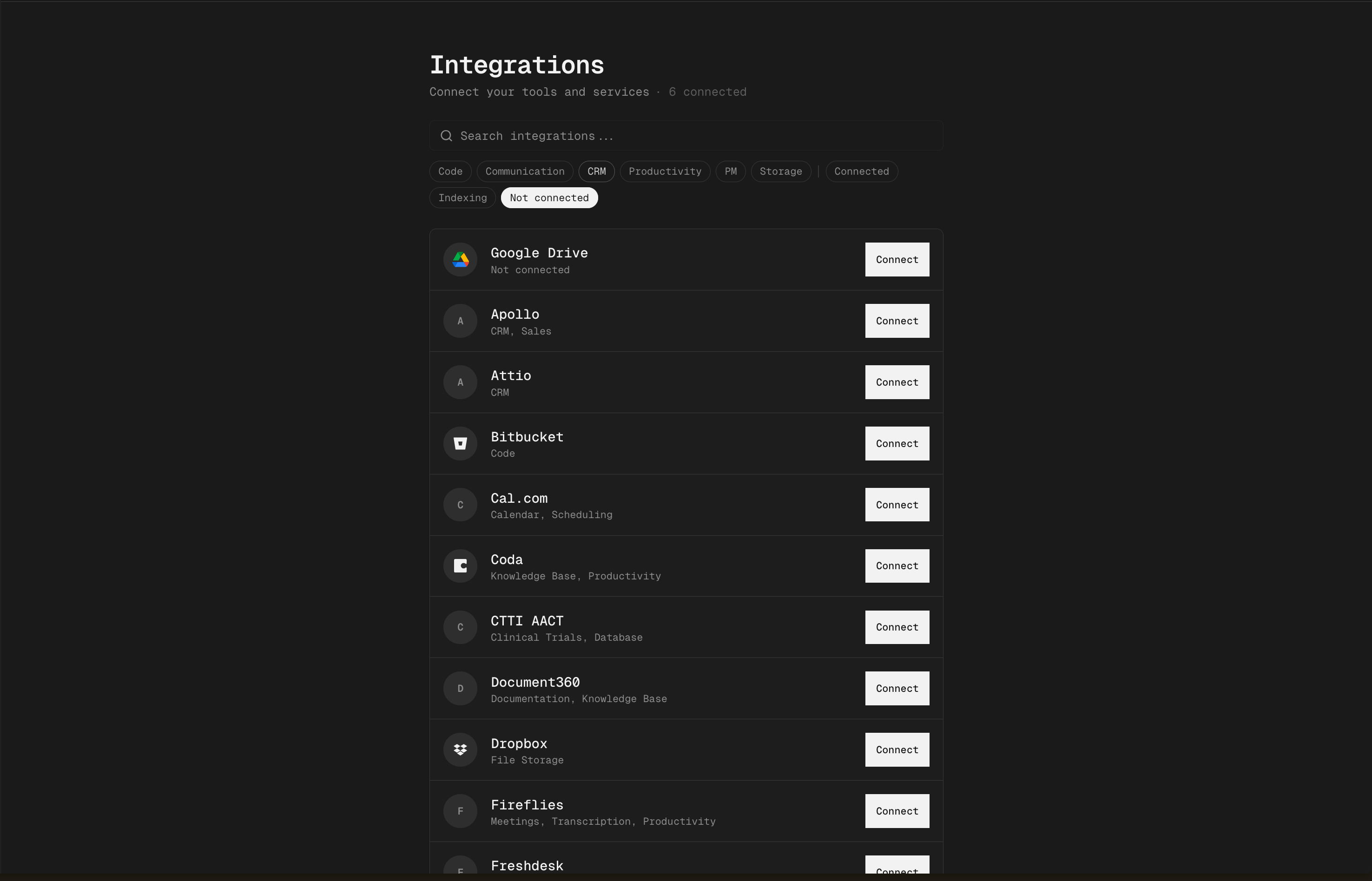
Nia integrations page — connect Slack, Drive, Notion, and more
3

Tell your agent to index your life

Once sources are connected, just tell your agent something like:
“Index my entire life — connect all my Slack, Drive, Notion, and create a vault called My Life with everything in it.”
The agent understands Nia’s CLI and will run the right commands: create the vault, add your sources, and trigger the first ingest. You can also do it manually:
nia vault init "My Life" --from-source <source-id-1>,<source-id-2>

How It Works

Three Layers

  1. Raw sources — your indexed Nia sources (repos, docs, Slack, Drive, Notion, iMessage, etc.). The vault reads from these but never modifies them.
  2. The wiki — markdown pages the agent generates. Concepts, entities, cross-references, timelines. The agent owns this layer entirely.
  3. The schemaschema.md inside the vault. You and the agent co-evolve it to refine conventions.

Page Structure

Every wiki page uses a dual-section format:
# WebSocket Authentication

WebSocket auth uses JWT tokens validated during the handshake upgrade.
The token is verified by middleware before the connection is promoted.

---

## Timeline
- **2026-04-08** | JWT validation found in ws_middleware.py [Source: nia-app repo]
- **2026-04-05** | Team discussed token refresh in Slack [Source: Slack #eng-backend]

## Sources
- nia-app repository (source-id-123)
  • Compiled Truth (above ---): Current best understanding. Rewritten when evidence changes.
  • Timeline (below ---): Append-only evidence trail. Never edited, only appended to.
Pages cross-link using [[wikilinks]]. For entity relationships, typed links add semantic meaning:
[[Stripe|works_at]]      — employment/affiliation
[[React|uses]]           — technology usage
[[OAuth 2.0|extends]]    — builds upon
[[Old Claim|contradicts]] — factual conflict
The graph visualization color-codes edges by relationship type.

Workflows

Ingest

For each source without existing pages, Claude reads the source and produces concept/entity pages with cross-references.
nia vault ingest <vault-id>           # new sources only (idempotent)
nia vault ingest <vault-id> --force   # re-synthesize all sources

Sync

Regenerates pages whose underlying sources have been re-indexed. Rewrites the compiled truth, appends to timeline. Pages you edited are always skipped.
nia vault sync <vault-id>

Lint

Scans the vault for orphan pages, stale pages, broken wikilinks, and contradictions. Writes lint-report.md.
nia vault lint <vault-id>

Dream Cycle

The self-improving loop. Scans existing pages, discovers entities that are mentioned but lack their own page, synthesizes new pages, finds non-obvious connections between pages from different sources, detects contradictions, and writes dream-report.md.
nia vault dream <vault-id>

# Enable weekly automatic dream (Sundays 3am UTC)
nia vault auto-dream <vault-id> on

Refresh

Combined ingest + sync in one pass. This is what the daily auto-sync cron runs.
nia vault refresh <vault-id>

Browsing the Vault

Interactive Shell

Drop into a writable bash session with the vault mounted as a filesystem:
nia vault open <vault-id>
All standard Unix tools work: tree, cat, grep, find, ls, pipes.

One-Shot Commands

For agent tool loops, use --c to execute a single command:
nia vault open <vault-id> --c "tree"
nia vault open <vault-id> --c "cat /index.md"
nia vault open <vault-id> --c "grep -rl 'authentication' ."
Hybrid semantic + keyword search scoped to the vault:
nia vault search <vault-id> "how does auth work"

Filesystem via nia sources

Since vaults are mounted as sources, all existing filesystem commands work:
nia sources tree <vault-id>
nia sources read <vault-id> /concepts/authentication.md
nia sources grep <vault-id> "webhook"
nia sources write <vault-id> /notes/finding.md --body "..."
Files you write are automatically protected from sync via provenance.last_human_edit. Your edits will never be overwritten by background workflows.

Wiki Layout

/
├── schema.md          User-owned conventions. Never overwritten by sync.
├── index.md           Auto-maintained catalog of every page.
├── log.md             Append-only history of ingests, syncs, lints, dreams.
├── META.md            Vault metadata snapshot.
├── concepts/          LLM-generated concept pages.
├── entities/          LLM-generated entity pages (people, products, tools, papers).
├── notes/             User-curated freeform pages. Always protected from sync.
├── lint-report.md     Latest lint output.
└── dream-report.md    Latest dream cycle output.

Web UI

The vault workspace at app.trynia.ai/vaults provides:
  • Page tree — browse concepts, entities, and notes in a sidebar
  • Graph view — force-directed visualization of wikilinks, color-coded by relationship type
  • Rich editor — edit pages with TipTap (wikilink autocomplete, markdown round-trip)
  • Search paletteCmd+K for fuzzy page search + AI-powered Q&A
  • Dream/sync controls — trigger workflows from the run menu
  • Settings — toggle auto-sync and auto-dream, edit schema

Personal Data Sources

Vault can ingest personal data through the Local Sync daemon:
SourceWhat’s indexed
iMessageConversations with contact metadata
WhatsAppMessages with group chat info
Apple NotesNotes with folder structure
ContactsNames, emails, phone numbers
RemindersLists with completion status
StickiesmacOS sticky notes
ScreenshotsOCR’d screenshot text
Local foldersAny directory on disk
Plus 47 cloud connectors (Slack, Drive, Notion, Linear, Salesforce, etc.) via the Integrations page.
macOS permissions: Personal data sources like iMessage and Apple Notes require Full Disk Access for the Nia sync daemon. Go to System Settings → Privacy & Security → Full Disk Access and add your terminal app. See Troubleshooting if indexing fails.

Wiring Into Your Project

nia vault init "My Project" --from-source <id1>,<id2>
This creates the vault, triggers ingest, and appends a setup block to your project’s CLAUDE.md / AGENTS.md automatically.

Manual

# Append to your agent instructions file
nia vault agents <vault-id> >> CLAUDE.md

# Or install as a skill
nia vault skill <vault-id> > .claude/skills/my-vault/SKILL.md

# Or pipe a guided setup prompt into your agent
nia vault setup <vault-id> | claude